
Who did this happen to, and how often?
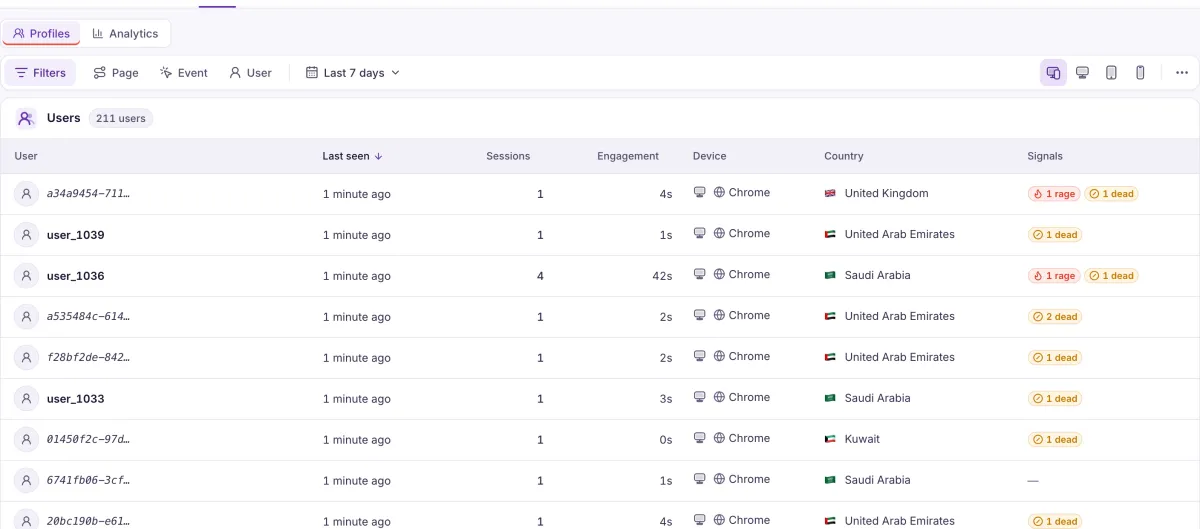
Tell Heatlytics who is logged in and it builds a profile for them. Clicks, inputs and submits are captured automatically, and your own events sit alongside them.
Anonymous until you say otherwise
One call when someone logs in, using your own ID, and their visits add up to a person.
Anonymous visitor
heatlytics.identify('user-123')user-123
- Every session, with its replay
- Device, location and your properties
- Top pages and events
- The frustration they met
What arrives without any code
- Clicks
- Inputs
- Form submits
- Page refreshes
What only your code knows
heatlytics.event('booking_started', { guests: 2 })- Profiles
- Identity, properties, device, location, all their sessions, top pages and events, and a summary of the frustration they met.
- Identity on your terms
- Visitors start anonymous. Call identify with your own user ID when they log in, and attach properties.
- Autocapture plus your own events
- Clicks, inputs, form submits and page refreshes arrive without code. Send custom events with properties for the rest.
An event is more than a count
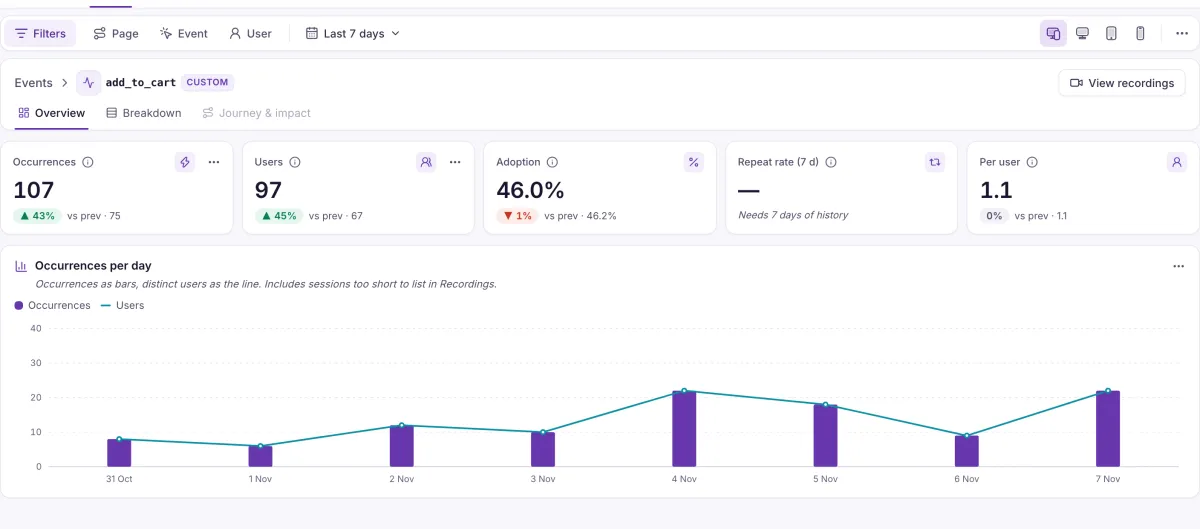
Open any event, automatic or your own, to see who sent it, how many came back to it, and how it moved day by day.
- Event detail
- Occurrences, users, adoption, seven-day repeat rate, per-user rate and a daily trend for each event.
- Breakdowns
- Split an event by platform, country, device, page, new versus returning, or one of its properties.
- Audience numbers
- Active, new and returning users, stickiness, and users who came back after 30 days or more away.
What it doesn’t do yet. Saved user groups and CSV export aren’t available yet.
Who is hitting the problem you’re looking at?
Bring a question about your own users, and we’ll show you where the answer lives.