
Session replay and product analytics
See where your website loses people, and why
Heatlytics records visits to your site, then shows where people clicked, scrolled, got stuck and gave up.
- Sensitive fields masked by default
- Script under 40 KB gzipped
- Every funnel step opens its recordings
What do you want to know about your visitors?
Session replay
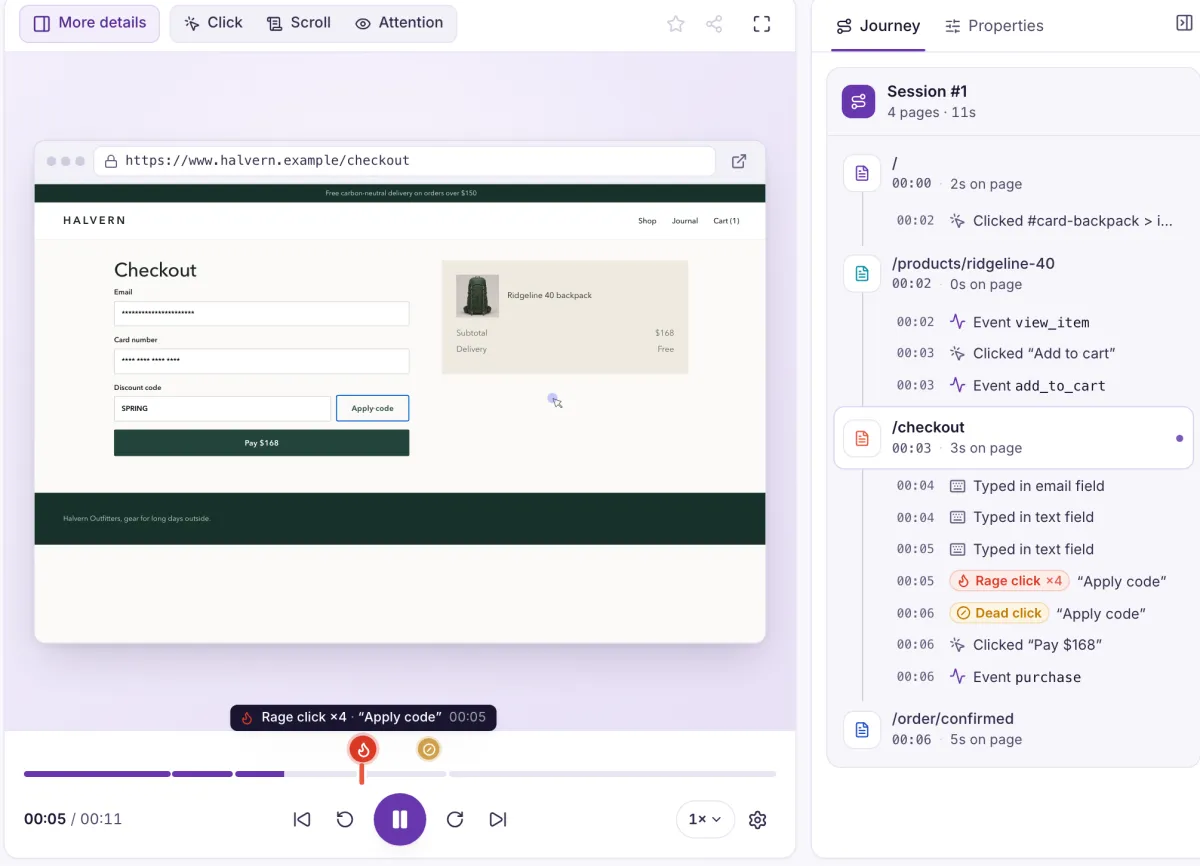
Watch a visit back, with every click, scroll and page change on one timeline. Rage clicks and dead clicks are already marked, so you can skip to what went wrong.
More on session replayOne stuck visitor, from start to fix
A short film of how it works on one visit: someone gets stuck, Heatlytics records it and marks the moment, you watch it, and you know what to fix.
- Record
- Spot the moment
- Watch
- Fix
From a number to the person behind it
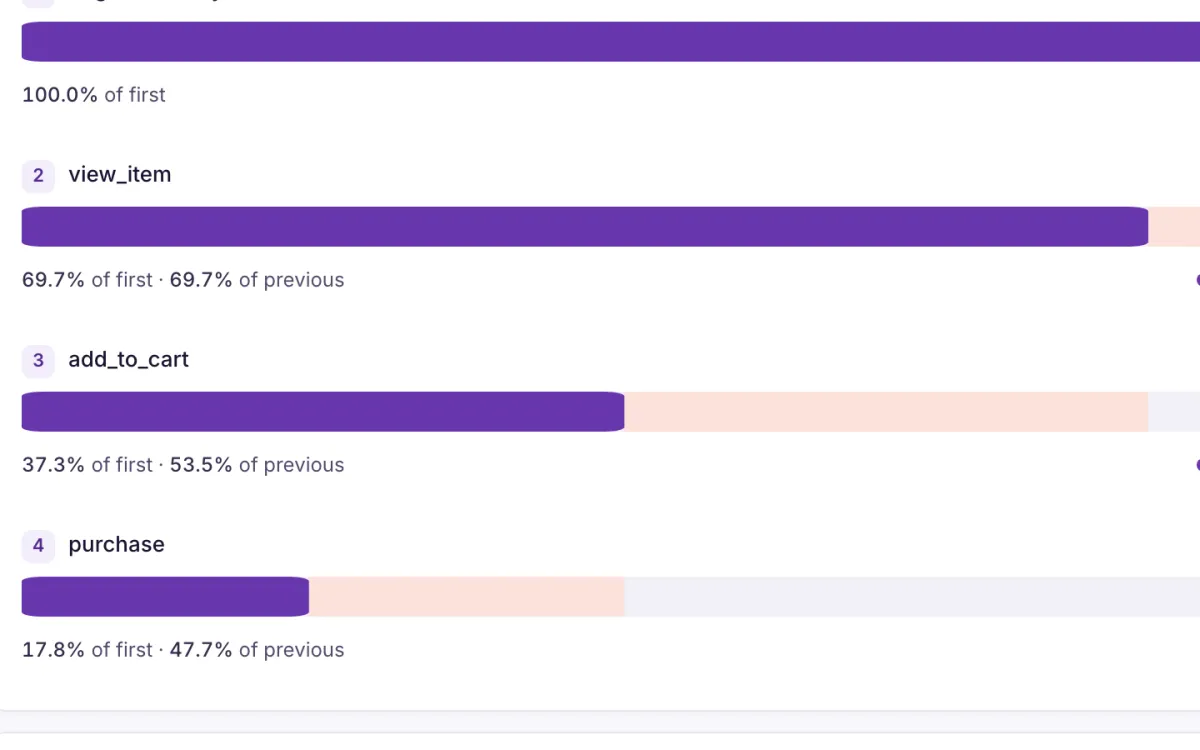
Spot the step
A funnel shows how many people dropped out, and where.
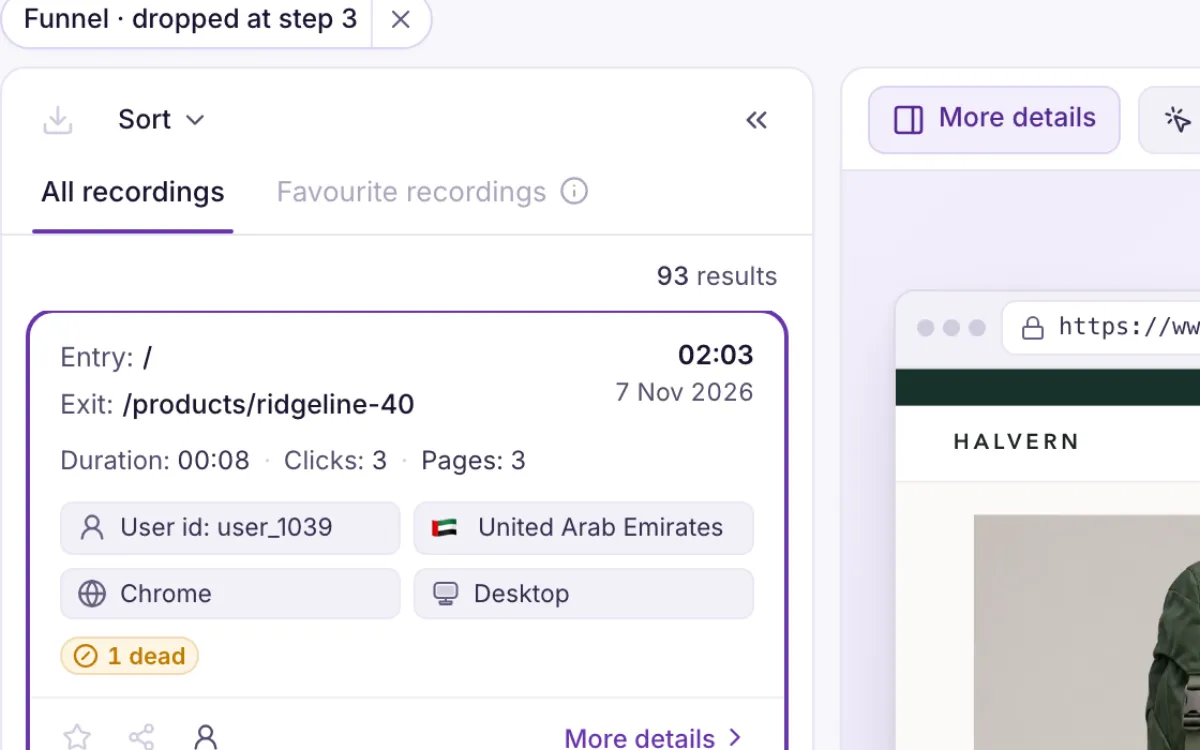
Open the people who dropped
One click on Dropped lists exactly those sessions, with the filter already applied.
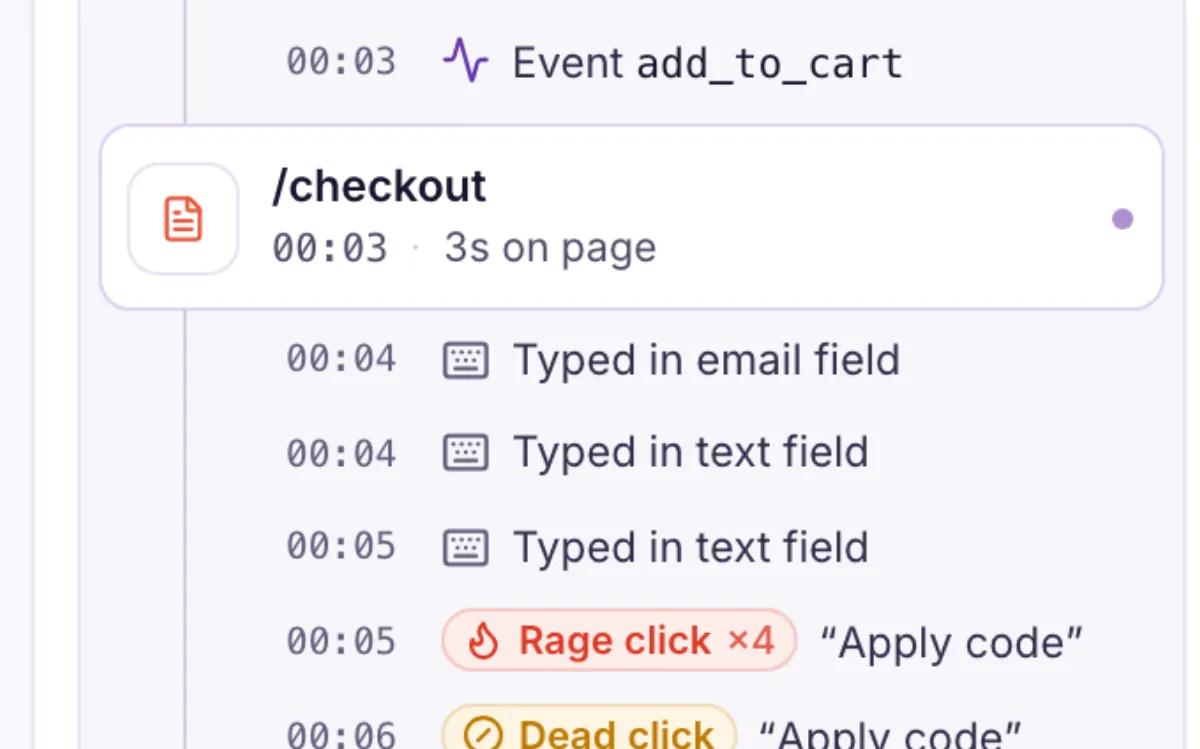
Watch why it happened
The timeline and journey take you straight to the moment it went wrong.
See how common it is
Everyone’s clicks, scrolling and attention on one page, so you can tell one person’s bad day from a button that fails for everybody.
More on heatmaps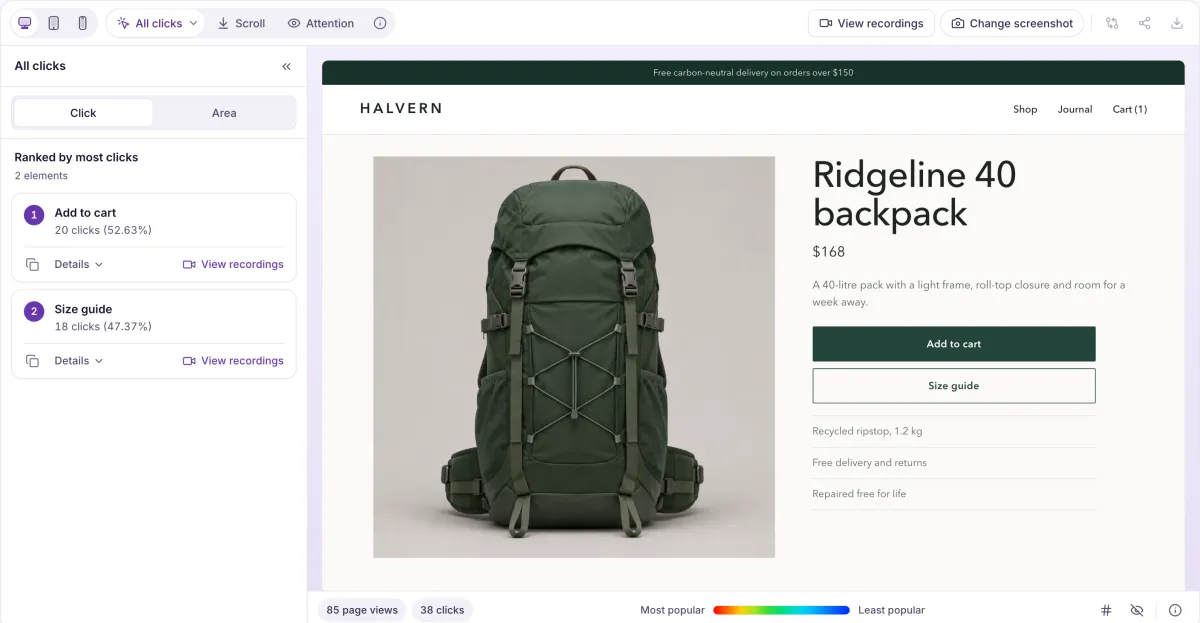
The moments that tell you something’s wrong
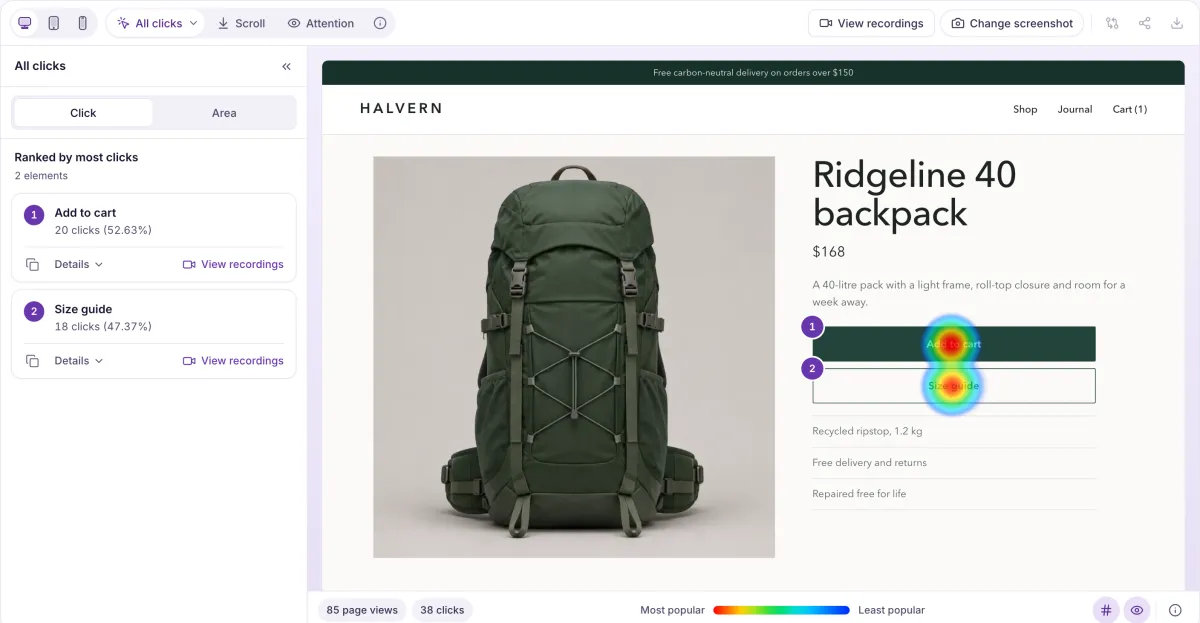
Heatlytics spots these in the visitor’s browser and marks them on the replay, the session and the page. These are the default rules.
- Quick exit
- Leaving the site less than 3 seconds after a page opens.
- Dead click
- A click after which nothing on the page changes for a second.
- Rage click
- Three or more clicks in the same spot, less than 300 ms apart.
- U-turn
- Leaving a page and coming back to the previous one within 10 seconds.
- Reload loop
- Reloading the same page again and again.
Everything in the product today
One script on your site feeds all of it, and the screens link to each other.
- Session replayWatch any visit back, with every click, scroll and page change on a timeline.
- HeatmapsSee where people click, how far they scroll and where their attention goes on any page.
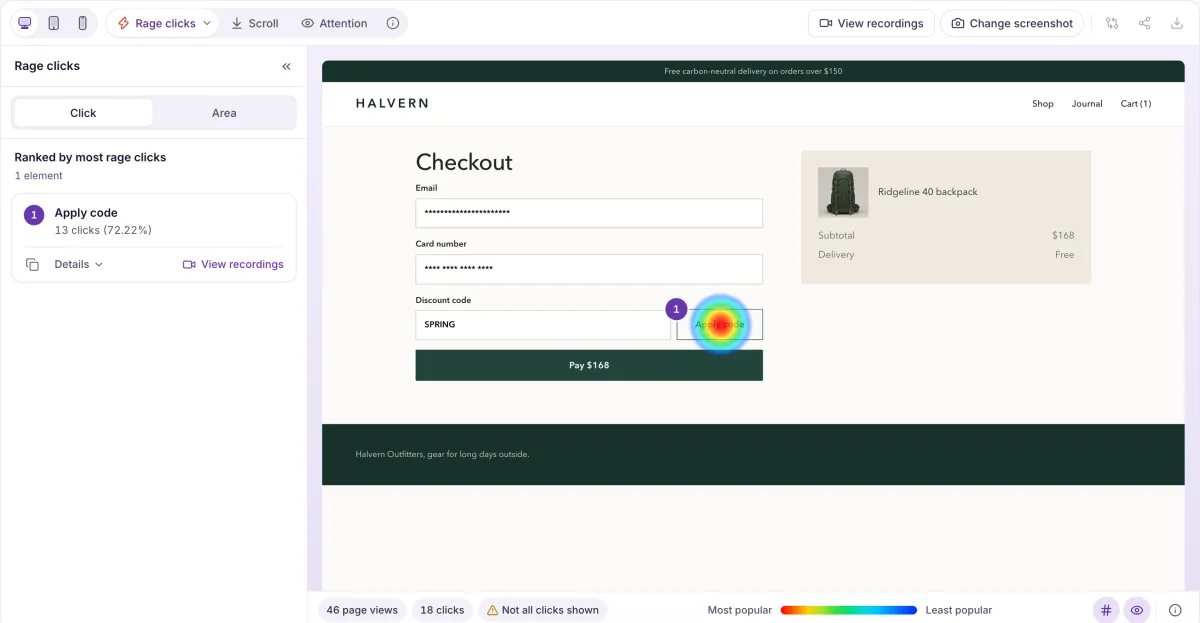
- Funnels and flowsMeasure where people drop out of a path, and see the routes they actually take.
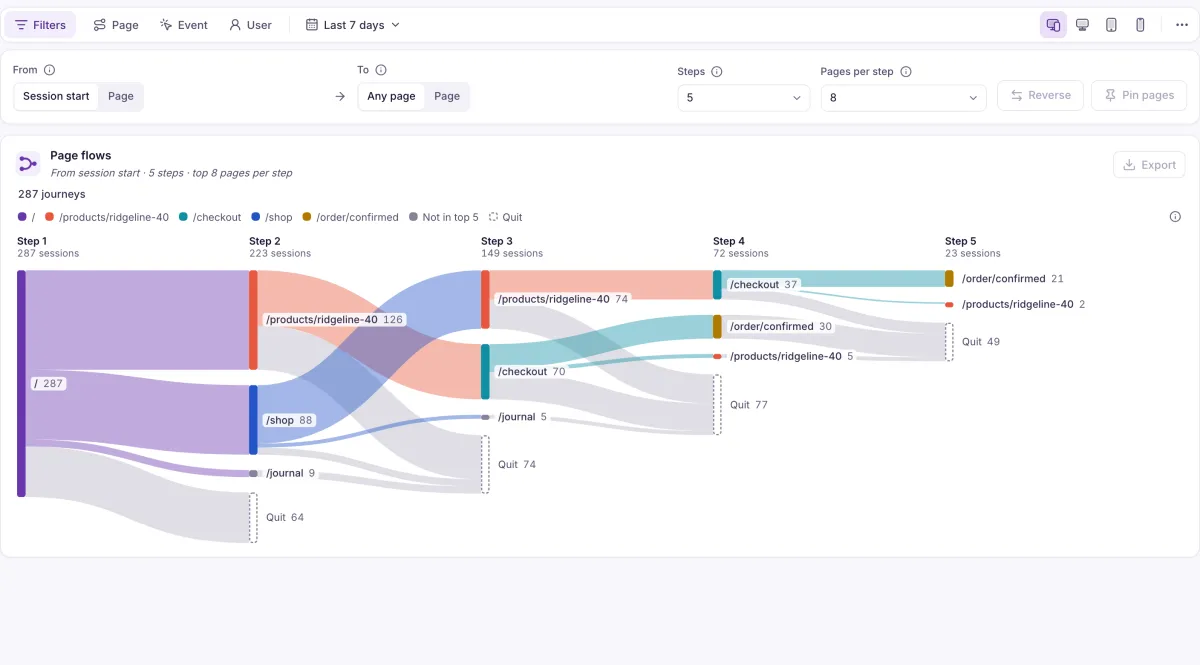
- Reports and dashboardsBuild the chart you need and keep it on a dashboard your team can open.
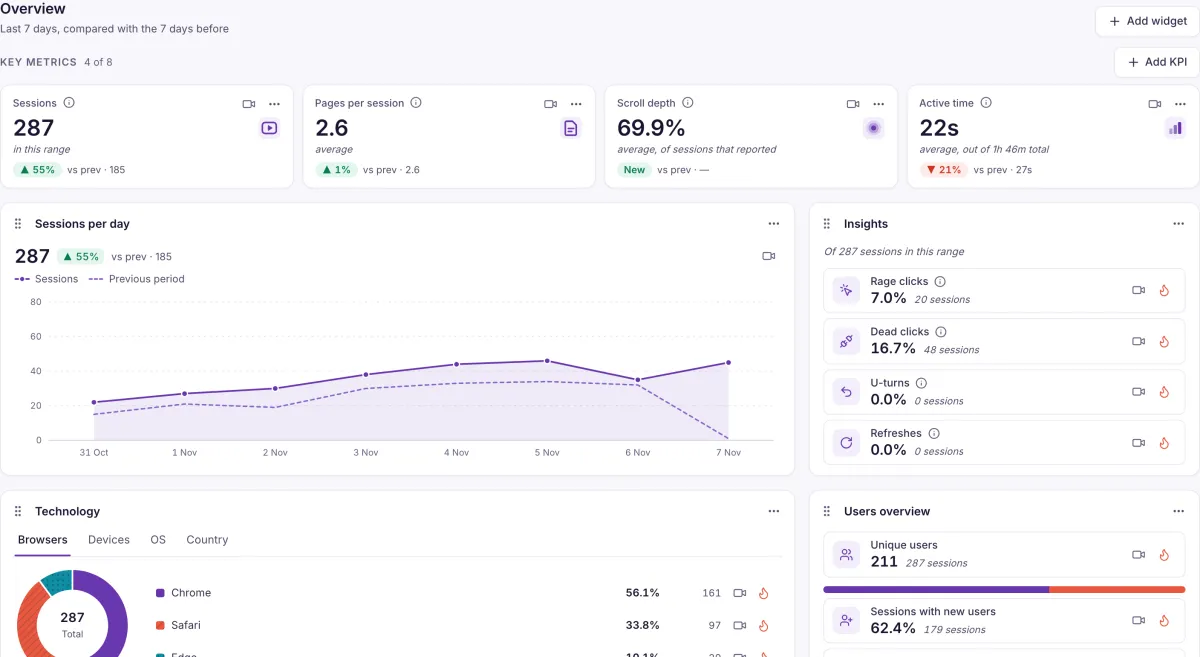
- Users and eventsFollow one person across sessions, and measure what happens on your site by event.
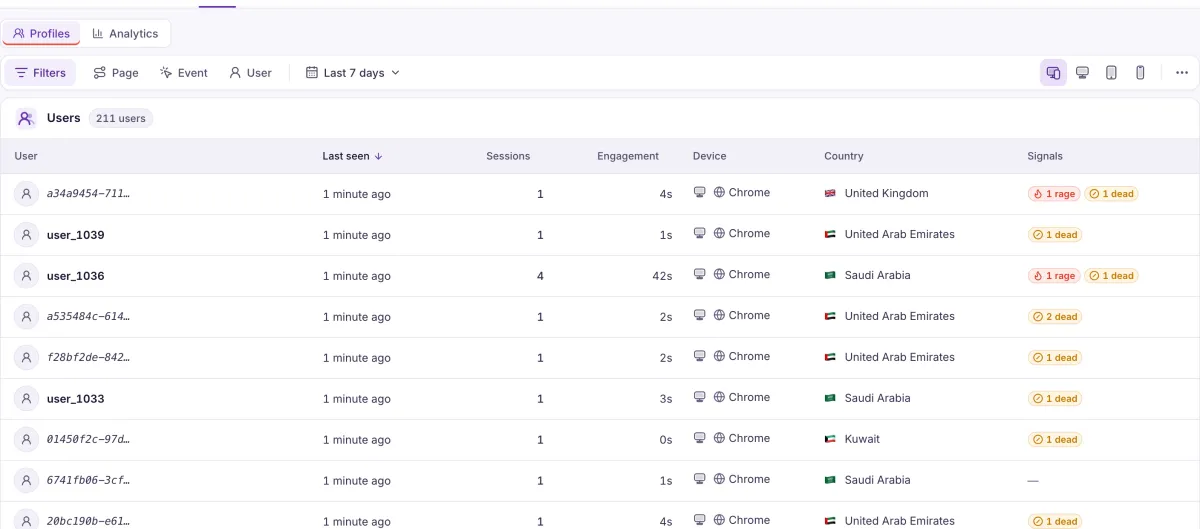
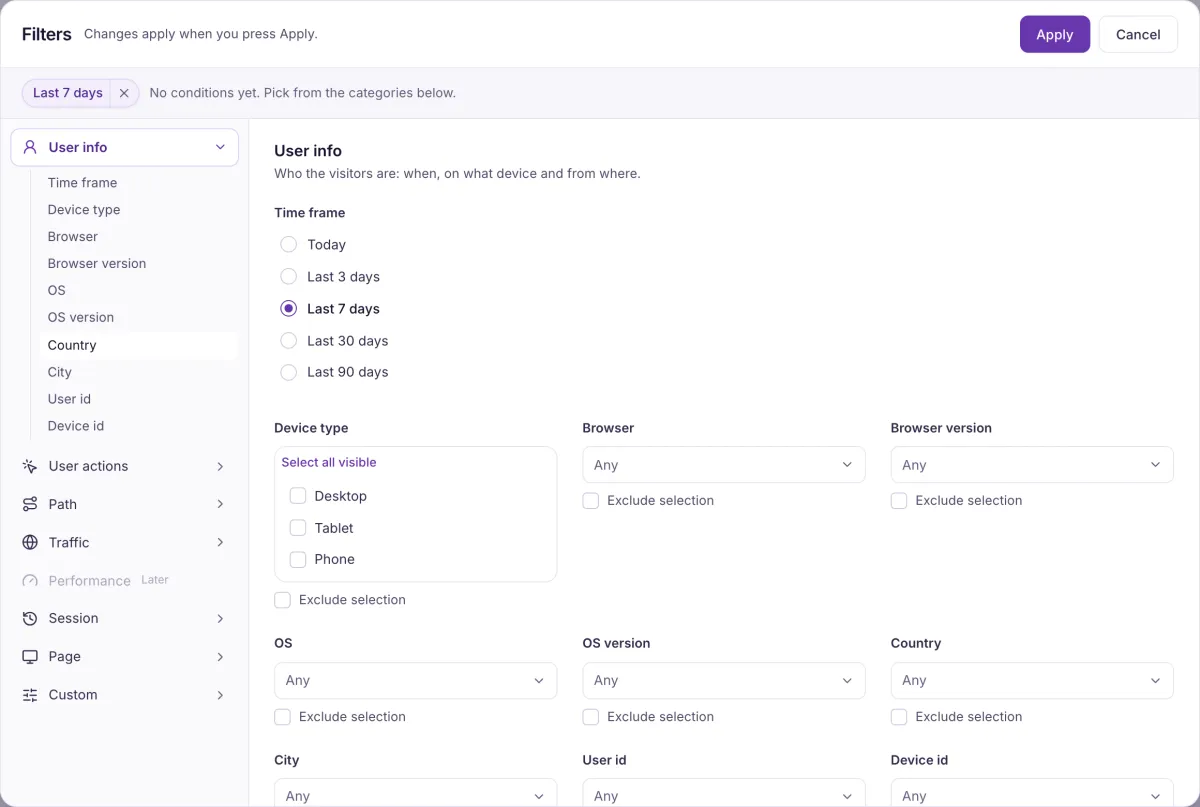
- Filters and segmentsNarrow every screen to the visitors you care about, and share the view as a link.
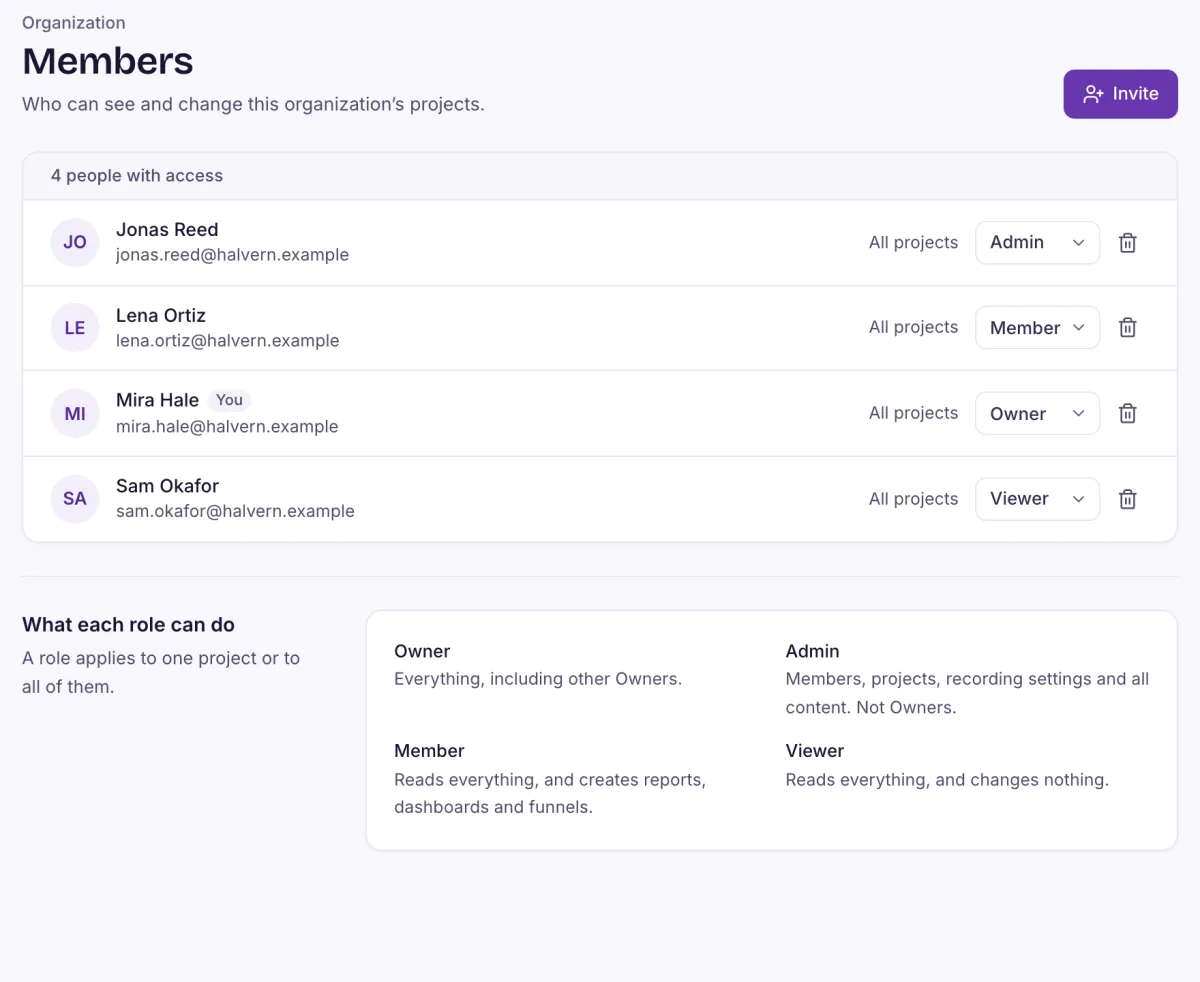
- Privacy and rolesSensitive fields are masked by default, and you decide who sees what.
- Frustration signalsRage clicks, dead clicks, U-turns and quick exits, found for you and tied to the replay.
What your visitor types, and what gets recorded
Masking runs in the visitor’s browser, so a masked value never reaches Heatlytics. Each character becomes an asterisk, which keeps the page’s layout in the replay.
Plain text is recorded as typed, unless you mask it.
Always masked. No setting can unmask it.
Always masked, even after a “show password” toggle.
Check your own pages. Page text, plain text fields and text areas are recorded unless you mask them. Card and bank fields are recognised from their name or label, and long numbers are masked in any text field, but recognition is a best guess.
Mask
Replace an element’s text and input values with asterisks. Images inside it become empty boxes.
See the code
<section data-hl="mask">Account details</section>Block
Replace a whole element with an empty box of the same size.
See the code
<div data-hl="block">…</div>Wait for consent
Recording starts straight away by default. Start in pending, and nothing is recorded or stored until the visitor agrees.
See the code
heatlytics.init({ key, host, consent: 'pending' })
heatlytics.optIn()
IP addresses
Heatlytics doesn’t store them. Country and city come from location headers set by Cloudflare at the edge.
For the teams that look after your website
- Product teamsSee what people do after you ship, and where they stop.
- UX and designWatch how a page really gets used, then check how common it is.
- Customer supportOpen a customer’s sessions instead of asking what they did.
- MarketingSee what visitors from each campaign do once they land.
- E-commerceFind where shoppers get stuck between product page and payment.
Two script tags, and you’re recording
- Copy the snippet with your environment’s key from Settings.
- Paste it before the closing head tag on your site.
- Open your site. The visit appears in Recordings.
Works with a strict Content Security Policy. For apps, a React Native SDK sends events and screens, without replay.
<script>
  (function (w, host, key) {
    w.heatlytics = w.heatlytics || { q: [] }
    ;['init', 'identify', 'setUserProperties', 'event', 'optIn', 'optOut', 'abort', 'getSessionId', 'setInternal'].forEach(function (n) {
      w.heatlytics[n] = w.heatlytics[n] || function () { w.heatlytics.q.push([n, [].slice.call(arguments)]) }
    })
    w.heatlytics.init({ key: key, host: host })
  })(window, 'https://app.heatlytics.io', 'hl_pub_YOUR_KEY')
</script>
<script async src="https://app.heatlytics.io/sdk/heatlytics-<version>.min.js" integrity="sha384-<hash>" crossorigin="anonymous"></script>
Questions you’ll want answered first
Will it slow my site down?
The script loads asynchronously and stays under 40 KB gzipped; a test fails the build if it grows past that. It sends recordings in compressed batches rather than on every action.
What is recorded, and what isn’t?
Page structure and text, clicks, scrolling, page changes and typed input. Password, email, phone, hidden and number fields, and recognised card and bank fields, are replaced with asterisks in the browser, as are long numbers in any text field. Page text and plain text fields are recorded unless you mask them. Heatlytics doesn’t store IP addresses.
How do I keep a page or element out of recordings?
Add data-hl="mask" or data-hl="block" to an element, list selectors, or mask all text. To skip a page altogether, call abort() on it, which stops recording until the next page load.
Can recording wait for consent?
Yes. Start with consent set to pending and nothing is recorded or stored until you call optIn(). optOut() stops recording and clears what was stored in the browser.
Does it work with a strict Content Security Policy?
Yes. There’s a guide listing what to allow, and the script tag can carry a pinned integrity hash, so the browser refuses it if its bytes ever change.
Does it work on single-page apps?
Yes. Route changes made without a page load are tracked as page changes.
What doesn’t it do yet?
There’s no session replay for mobile apps, and there are no saved segments, retention reports, alerts, error tracking, AI analysis, integrations, single sign-on or two-factor sign-in yet. Each feature page says what’s missing there.
See what your visitors are really doing
Heatlytics is new, so a demo is a conversation with the people building it. Tell us about your website and we’ll get in touch.