
At which step do people give up?
Define the path you care about and see how many make it through each step. When the real route isn’t the one you drew, flows show you what it is.
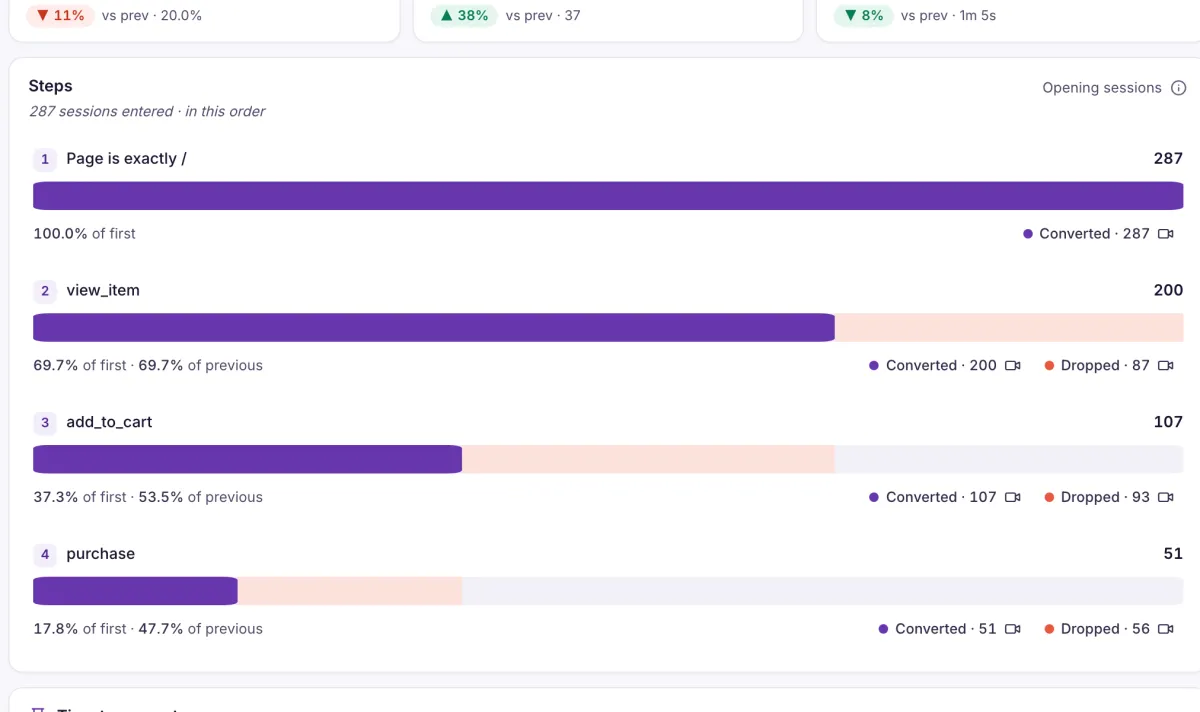
Pick a step and see who you lost
Try it on this sample funnel: the pale part of each bar is the sessions that didn’t make it from the step before.
93 sessions dropped between view_item and add_to_cart. Select Dropped on that step and Recordings opens, filtered to those 93 visits.
- Up to 15 steps
- A step can be a page, an event, or an event with a specific property value.
- Strict or loose order
- Count steps in this order or in any order, per session or per user within a window you set (one day by default, up to 30).
- Conversion, drop-off and time
- See the conversion rate, the drop-off at each step and the time it takes to convert.
- One click to the people behind it
- Converted and Dropped on any step open the matching recordings.
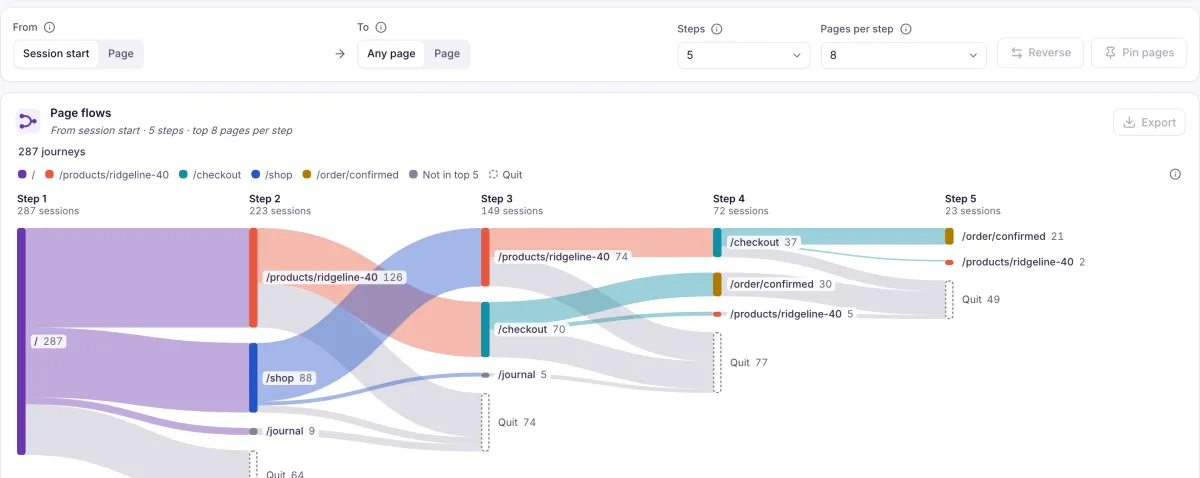
When the real route isn’t the one you drew
Flows start from the session or a page you choose, and show the bands people actually followed, including the ones that quit.
- Flows between pages
- Start from the session start or a page, end at any page or one page, and choose how many steps and pages per step to show. The rest appear as Others and Quit.
- Save or share
- Saved funnels are shared across the environment. Unsaved ones live in the link, so you can send them.
What it doesn’t do yet. Anonymous visitors are not merged with their logged-in selves when funnels count per user. Flows are not saved.
Bring the path you worry about most
Tell us the steps that matter on your site, and we’ll walk through how you’d measure them.