
What did this visitor actually see?
Heatlytics rebuilds each visit from the page’s structure, so you see what the visitor saw: the pages they moved through, what they clicked and where they stopped.
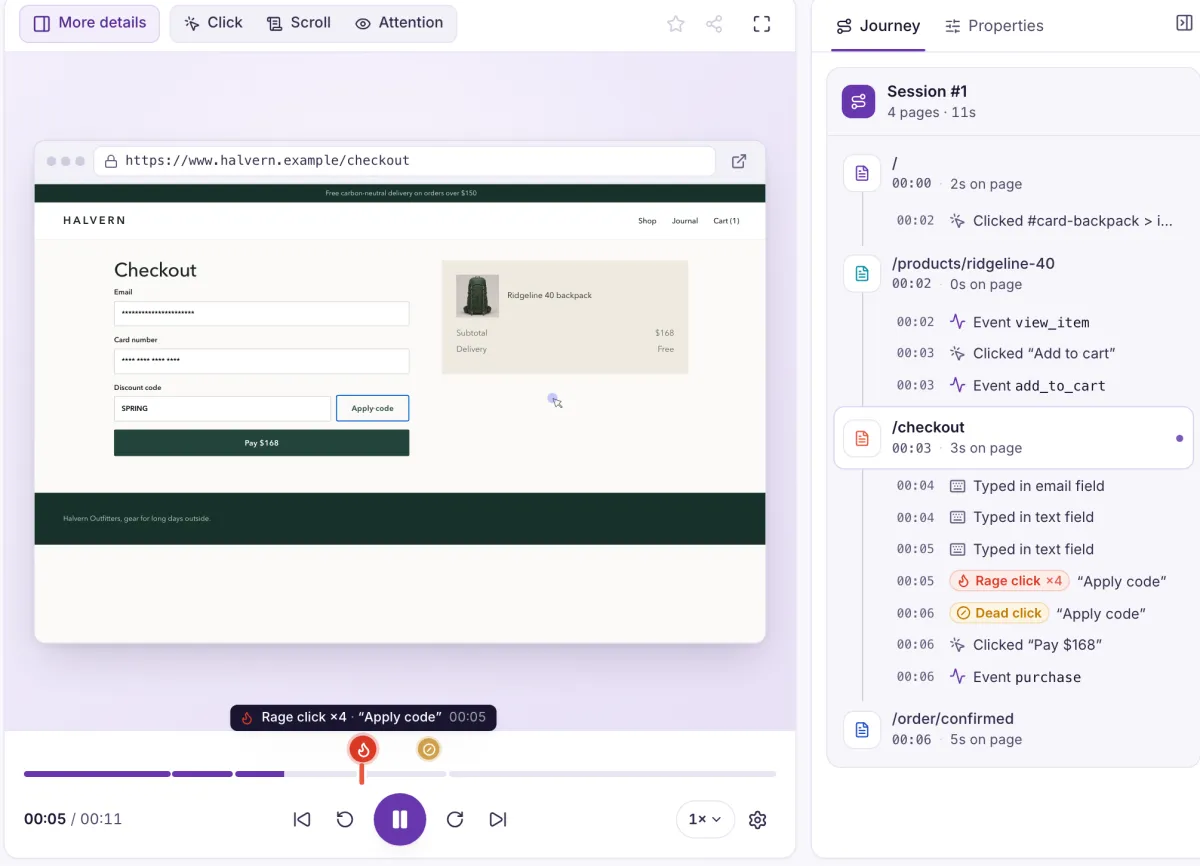
Click any moment and the replay jumps there
Try it. This is a sample visit drawn in the page, with the same kind of journey list you get beside the player.
Four quick clicks on one button. The marker on the timeline brings you straight here.
Journey
- A player built for reviewing
- Play, pause and seek at speeds from 0.25× to 2×, skip inactive stretches, go fullscreen, or drive it from the keyboard.
- A timeline you can read
- The timeline is coloured by page and marked where a rage click, dead click, U-turn or custom event happened.
- A journey beside the video
- Each page gets a block of timestamped actions. Click one to jump straight to that moment.
Start from the visits worth watching
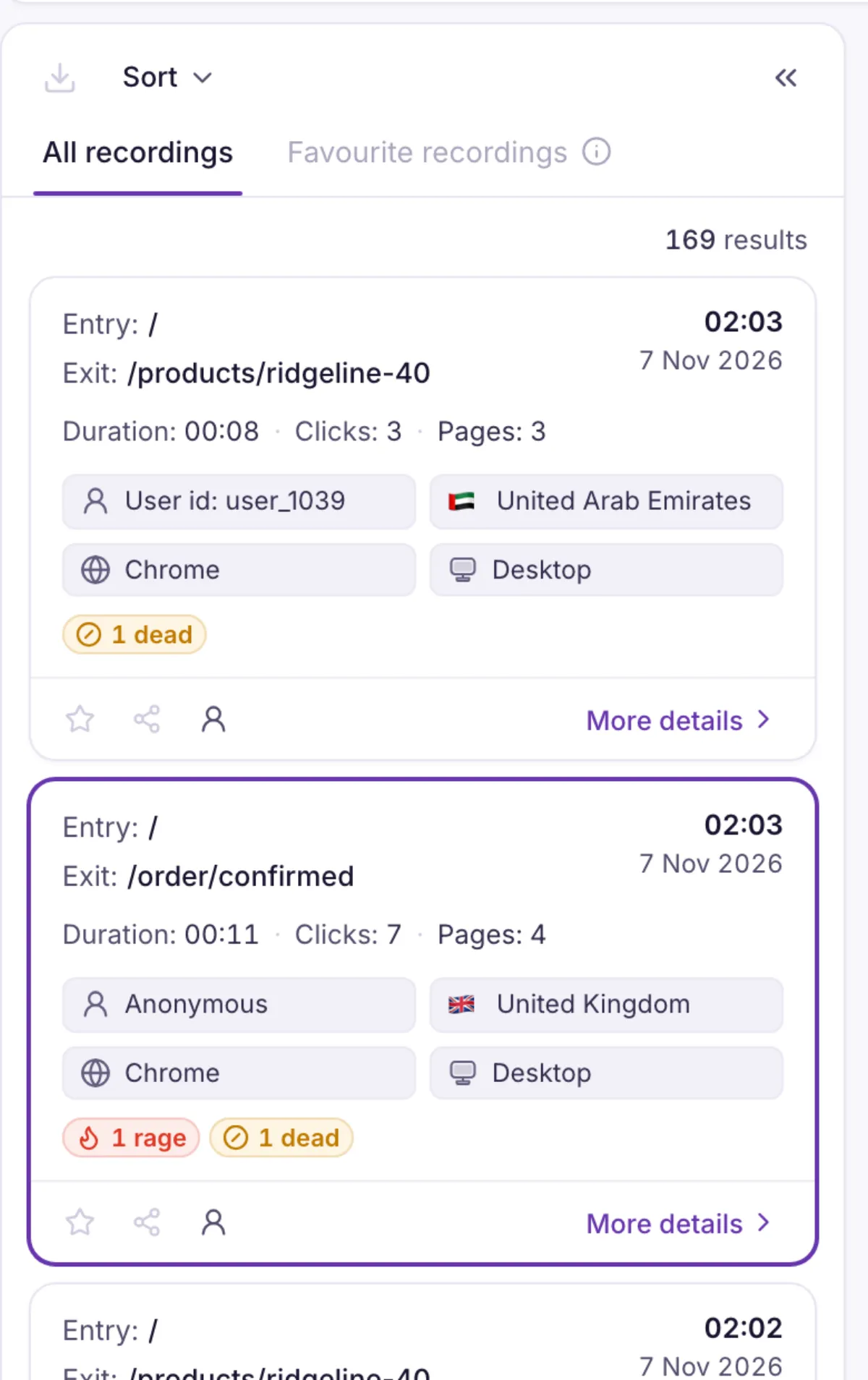
Every session is a card with its entry page, exit page, length and the people and devices behind it, so you can choose before you press play.
- A list you can sort and filter
- Find visits by user, duration, country, browser, device, entry page, exit page or friction tag.
- Every detail of the session
- The properties panel lists device, location and user details. Search it, and pin the ones you check most.
- Single-page apps included
- Route changes made without a page load are tracked as page changes, so client-side navigation reads correctly.
What it doesn’t do yet. Replay covers websites. The React Native SDK sends sessions, screens, events and users from apps, without replay.
Watch a visit from your own website
Tell us about your site, and we’ll start the demo from the page you most want to see.